![GBB_Horizontal_Eco_Light.png]](https://support.greenbusinessbenchmark.com/hs-fs/hubfs/GBB_Horizontal_Eco_Light.png?height=40&name=GBB_Horizontal_Eco_Light.png)
It’s important to add your logo to your GBB profile to get instant brand recognition and promote authenticity. Follow the steps below to add your logo:
1. Go to Organization Settings
2. Click on the Branding tab
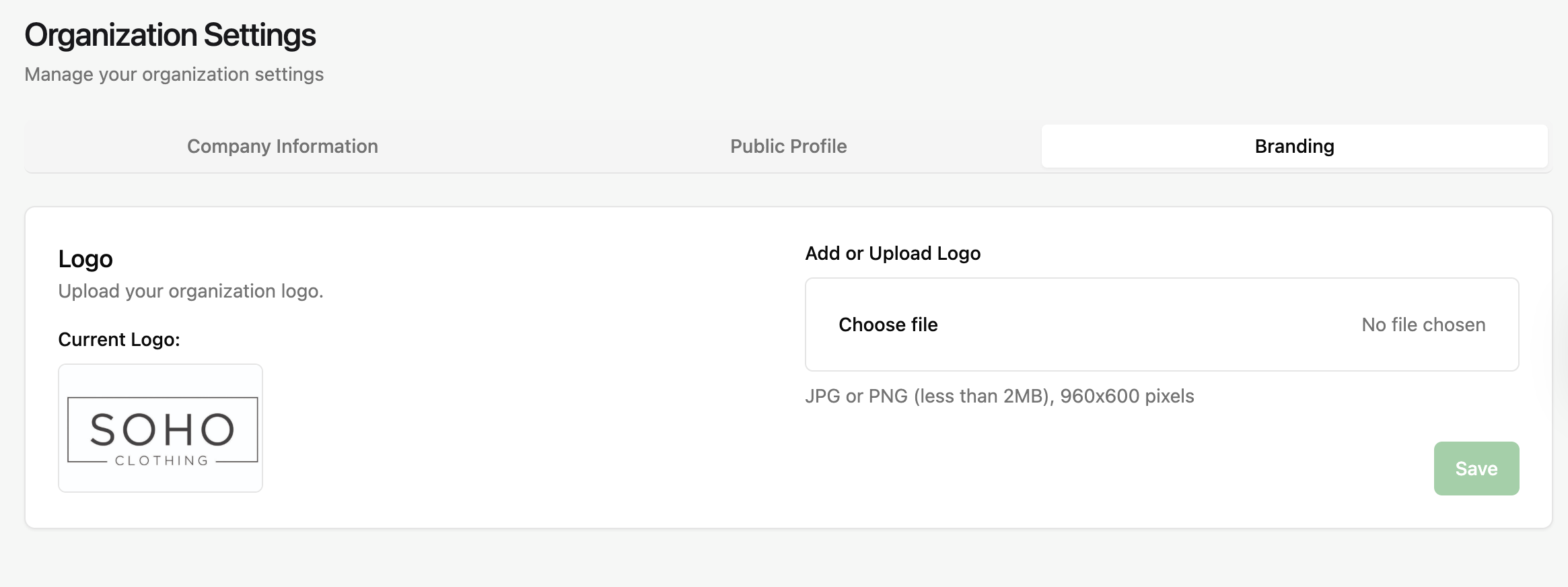 3. Upload your logo from your files
- Review the qualifications for the logotype
- The logo must be in JPG or PNG format and less than 2 MB and 960X600 pixels
- If you are having issues with logo size, you can adjust it in the image settings on your computer